

Go to Most Played


















Be the first to comment

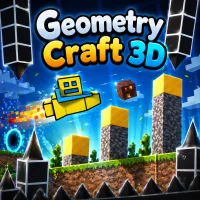
Geometry Craft 3D is an arcade-style game that combines building mechanics with obstacle navigation in a colorful 3D environment. In the game, you control a character moving across platforms while collecting and using resources to build safe paths. Your goal is to cross each area, avoid falling, and complete the journey with precision.
Are you ready to step into this dynamic 3D world full of traps? Start exploring now!
When you start playing Geometry Craft 3D, you move across floating platforms filled with dangerous gaps. Your task is to collect building blocks along the way and use them to extend paths so your character can continue forward. Resource management is crucial - if you don’t have enough blocks to build, you may fall and fail the level. Always keep track of your available materials and use them wisely.
As you progress further, the terrain becomes more complex with narrower paths and larger gaps. Players need to combine precise movement with rapid building to avoid interruptions. Looking ahead helps you prepare the right amount of resources in advance, such as materials for building bridges or barriers to navigate the complex terrain effectively. Balancing speed and strategy is the key to completing each level successfully.